
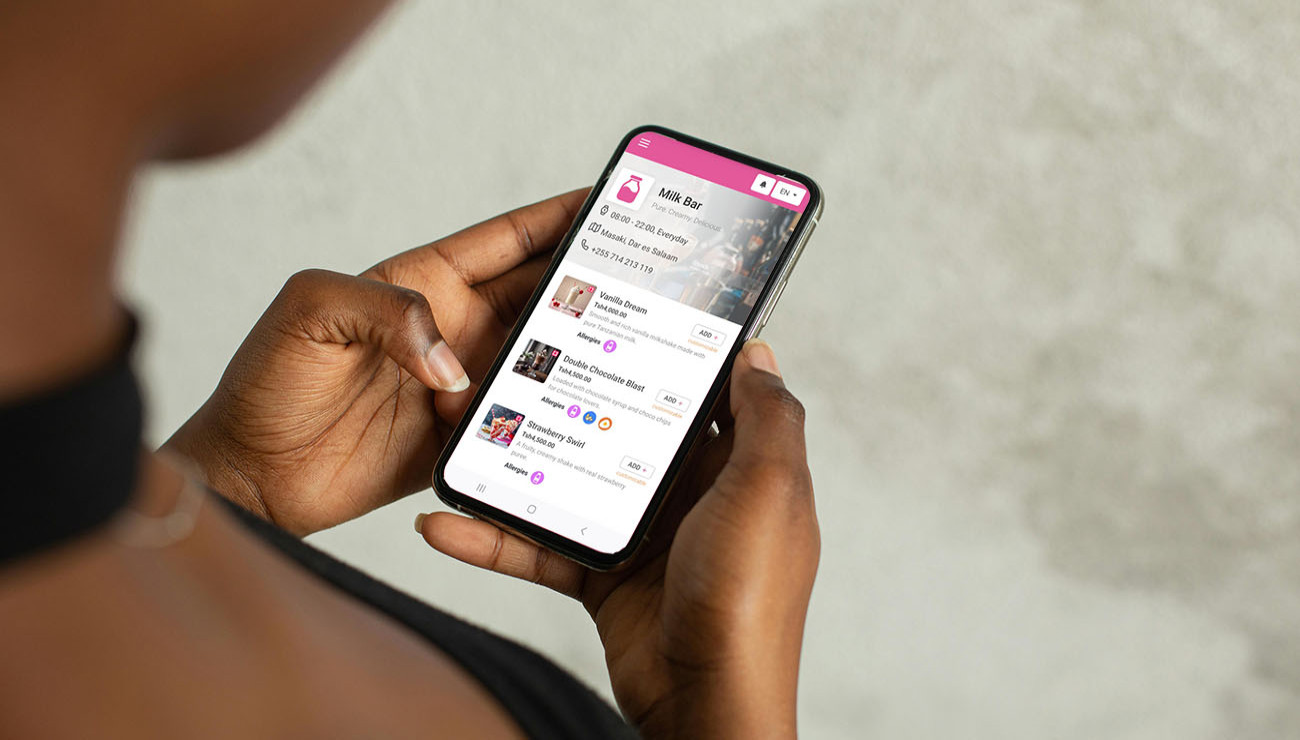
10 Common Mistakes to Avoid When Designing Your Online Menu
Designing a great online menu isn’t just about listing dishes, it’s about creating an experience that converts views into orders. Whether you’re using a QR code menu or a website-based digital menu, avoiding common design mistakes can dramatically improve your restaurant’s performance.
Here are 10 common online menu design mistakes and how to avoid them:
1. Too Many Items Without Organization
Mistake: Overwhelming users with endless choices.
Solution: Divide your menu into clear categories like Starters, Mains, Drinks, and Desserts. Keep it simple and intuitive.
2. Missing or Low-Quality Images
Mistake: Text-only menus that don’t showcase your food.
Solution: Use high-resolution images for top-selling items. Great food photos increase cravings and conversions.
3. No Descriptions or Vague Descriptions
Mistake: Customers don’t know what they’re ordering.
Solution: Add short, clear descriptions that include ingredients, taste notes, or preparation style.
4. Not Mobile-Friendly
Mistake: Menus that are hard to read or navigate on phones.
Solution: Use responsive design and mobile-optimized platforms like Smart Menu to ensure smooth mobile access.
5. Inconsistent Pricing Formats
Mistake: Prices displayed differently (e.g., “10,000” vs “Tsh 10,000”).
Solution: Use consistent formatting and local currency symbols (e.g., TZS 10,000) throughout the menu.
6. Too Many Pop-Ups or Distractions
Mistake: Banners, ads, or pop-ups covering the menu.
Solution: Keep the interface clean and focused on food. If ads are included, place them discreetly.
7. Forgetting Dietary Labels
Mistake: No indication of vegan, gluten-free, or spicy items.
Solution: Add icons or tags to inform dietary preferences clearly.
8. No Search or Filter Options
Mistake: Making users scroll endlessly to find what they want.
Solution: Use search bars or category filters to improve user navigation.
9. Not Updating the Menu Regularly
Mistake: Showing out-of-stock items or old prices.
Solution: Keep your menu updated in real time. Digital tools like Smart Menu make it easy to manage from your dashboard.
10. Lack of Branding or Personal Touch
Mistake: A generic menu that doesn’t reflect your restaurant’s identity.
Solution: Customize colours, fonts, and layout to align with your brand. Add your logo and a welcoming introduction.
Final Thoughts
Your online menu is your digital waiter, it speaks to your customers before you do. Avoiding these 10 mistakes can improve user experience, reduce order errors, and increase revenue.
Pro Tip: Use a smart menu platform that offers:
- Custom branding
- Menu categories and descriptions
- Photos and pricing control
- Table-specific QR codes
- AI customer support
Ready to upgrade your digital menu?
Try Smart Menu today and build a better dining experience for your customers. Checkout a Sample Restaurant


Comments (0)